Your HR data lives in three places right now: a register at the gate, an Excel sheet on one laptop, and a WhatsApp group nobody can search.
Cloud based HRMS software fixes that. But most guides on it are written in 2021, quote surveys from 2012, and never mention India’s data protection rules.
This guide is different. We priced real cloud HRMS tools on October 26, 2026, worked out what they cost over three years, and mapped the Indian security rules your vendor must follow.
You’ll learn:
- What cloud HRMS software is, and how it differs from on-premise
- What it really costs over 3 years
- The 10 security questions to ask before you upload a single payslip
Cloud based HRMS software is a human resource management system that runs on the vendor’s servers and is used through a web browser or mobile app, for a monthly or yearly subscription. It handles employee records, attendance, leave and payroll without any server, installation or IT team at your office, and updates itself automatically.
Quick answer: cloud based HRMS software (October 2026)
- What it is: HR and payroll software you use online through a browser or app, paid by subscription, with no servers to buy or maintain.
- What it costs in India: about ₹2,500 to ₹10,000 a month for 50 employees, before 18% GST, based on vendor pricing pages checked on October 26, 2026.
- Cloud vs on-premise: cloud costs less upfront and updates automatically; on-premise needs your own servers and IT staff.
- Security rules to check: India’s DPDP Rules, notified on November 14, 2025, allow penalties of up to ₹250 crore for weak security safeguards.
- Best fit: businesses with several locations, shift workers or staff who need payslips on their phones.
Cloud-Based HRMS Software Explained
Cloud-based HRMS software is an HR system delivered as SaaS (software as a service): the vendor hosts the software and your data on its servers, and your team logs in from any browser or phone. You pay a subscription instead of buying licences and hardware.
A typical cloud HRMS in India covers:
- Core HR: employee records, documents and company assets
- Time: attendance, shifts, overtime, leave and biometric integration
- Pay: payroll with PF, ESI, Professional Tax and TDS
- Employee self-service: a mobile app where staff check attendance, apply for leave and download payslips
- Hiring and exits: job posts, onboarding, resignation and exit
New to the category? Our guide to the best HRMS software in India compares nine tools side by side.
Cloud HRMS vs On-Premise HRMS
Cloud HRMS runs on the vendor’s servers for a subscription, while on-premise HRMS is installed on your own servers after a one-time licence purchase. The right choice depends on your upfront budget, IT team and number of locations.
| Factor | Cloud HRMS | On-premise HRMS |
|---|---|---|
| Upfront cost | Low: monthly or yearly subscription | High: licences, servers, installation |
| IT team needed | No | Yes, for servers, backups and updates |
| Updates and law changes | Automatic, done by the vendor | Manual, often charged extra |
| Access from plants and outlets | Any browser or phone | Usually office network or VPN |
| Data control | Vendor holds data under contract | Data stays on your servers |
| Internet dependency | Needs internet for live sync | Works on the office network |
| Scaling up | Add users in minutes | May need new hardware |
| Setup time | Days to weeks | Weeks to months |
Bottom line: if you have more than one location and no dedicated IT team, cloud HRMS is almost always the better fit. On-premise makes sense mainly for large firms with strict in-house data policies and their own IT staff.
7 Benefits of Cloud HRMS Software for Indian Businesses
Cloud HRMS software helps Indian businesses by cutting upfront costs, keeping payroll rules current and putting every location on one system. Here are the seven benefits that matter most for SMEs:
- No servers or IT staff. The vendor runs the infrastructure, data backup and data security.
- Automatic updates for compliance. When PF, ESI, Professional Tax or labour code rules change, the vendor updates the software for everyone.
- Multi-location on one screen. Plants, outlets and offices share one employee database.
- Mobile self-service. Staff apply for leave and download payslips without visiting HR.
- Faster payroll. Attendance, overtime and leave flow straight into salary, with no re-typing.
- Scalability: pay as you grow. Add employees as you hire, and pay only for what you use.
- Remote access for owners. Check attendance or approve leave from anywhere.

For example, under the Code on Wages, in force since November 21, 2025, basic pay, DA and retaining allowance must make up at least 50% of an employee’s pay (India Briefing, 2026). A cloud HRMS vendor updates salary rules once for every customer. On-premise users wait for a patch and install it themselves.
Factory owners feel benefit 5 most. Overtime under the OSH Code is paid at twice the ordinary rate after 8 hours a day or 48 a week, so every hour typed wrong costs double. Try the maths with our free overtime calculator.
What Does Cloud-Based HRMS Software Cost in India?
Cloud-based HRMS software in India costs about ₹2,500 to ₹10,000 a month for 50 employees, before 18% GST, based on vendor pricing pages we checked on October 26, 2026. Over three years, that’s roughly ₹90,000 to ₹3,60,000.
| Cloud HRMS (50 employees) | Monthly price | 3-year cost (excl. GST) | Notes |
|---|---|---|---|
| greytHR Essential | ₹2,495 | ₹89,820 | Shifts and overtime need Growth |
| greytHR Growth | ₹4,495 | ₹1,61,820 | Advanced attendance and shifts |
| Pocket HRMS Standard | ₹2,995 | ₹1,07,820 | Billed annually |
| sumHR Basic | ₹3,450 (₹69 × 50) | ₹1,24,200 | Plus one-time setup fee |
| Zoho People Essential + Zoho Payroll Standard | ₹4,400 | ₹1,58,400 | Payroll is a separate product |
| Mera Udyog (yearly plan) | about ₹7,499 | ₹2,69,970 | Includes CRM, GST billing and inventory |
| Mera Udyog (monthly plan) | ₹9,999 | ₹3,59,964 | Up to 50 users, all modules |
The 3-year figures are our own calculation from published monthly or yearly list prices, before GST and any setup fees.
The 3-Year HRMS Cost Worksheet
The 3-Year HRMS Cost Worksheet is a simple way to compare cloud and on-premise HRMS fairly, by adding every cost you’ll pay over 36 months. Fill it in with real quotes from your vendors:
| Cost item | Cloud HRMS | On-premise HRMS |
|---|---|---|
| Software | Subscription × 36 months | One-time licence + yearly support (often 15% to 25% of licence, ask the vendor) |
| Hardware | ₹0 | Server, UPS, backup drive |
| Setup | One-time setup fee, if any | Installation and configuration |
| IT people | ₹0 | Share of an IT person’s salary |
| Updates for law changes | Included | Patches or upgrade fees |
| Biometric integration | One-time fee, if any | One-time fee |
| 3-year total |

Most SMEs with fewer than 200 employees find cloud cheaper once they count hardware and IT time.
Pro tip
Compare all-in-one apps against the total of your separate tools. Mera Udyog’s price includes a telecalling CRM, GST billing and inventory, so add your current CRM and billing bills to the HRMS-only prices. Compare plans on our pricing page.
Is Cloud HRMS Safe? India’s Data Protection Rules
Cloud HRMS is safe when the vendor follows India’s data protection rules and basic security practices, because employee data such as Aadhaar, bank accounts and salaries is personal data under Indian law. Two sets of rules matter most.
1. The DPDP Act and DPDP Rules, 2025. The Digital Personal Data Protection Rules were notified on November 14, 2025, with an 18-month phased compliance period (PIB, 2025). Penalties go up to ₹250 crore for failing to keep reasonable security safeguards, and up to ₹200 crore for failing to report a breach. Affected people must be told about a breach without delay.
2. CERT-In Directions, 2022. Issued on April 28, 2022, they require cyber incidents to be reported to CERT-In within six hours and system logs to be stored in India (Trilegal, 2022).

Here’s why this matters to you:
- As the employer, you remain responsible for your employees’ data, even when a vendor stores it.
- Your HRMS vendor acts as your data processor, so its security is your risk.
- A spreadsheet on a shared laptop or a WhatsApp group of payslips is usually far less secure than a well-run cloud HRMS.
Important: This is general information, not legal advice. Check your obligations under the DPDP Act with a lawyer or compliance adviser.
The Cloud HRMS Security Checklist: 10 Questions for Vendors
The Cloud HRMS Security Checklist is our list of 10 questions to ask any vendor before you upload employee data. Ask for written answers.
- Where is our data hosted, and is it stored in India?
- Is data encrypted in transit and at rest?
- How often do you back up data, and how fast can you restore it?
- What uptime do you commit to, and is it in the contract?
- How will you tell us about a data breach, and how quickly?
- Can we set role-based access, so supervisors see only their own team?
- Do you keep an audit log of who viewed or changed salary data?
- Do you support two-factor login for admins?
- How do we export all our data if we leave?
- How are you preparing for the DPDP Rules’ 18-month compliance deadline?

Score each vendor out of 10. Anything below 8 needs a follow-up before you sign.
What Happens When the Internet Goes Down?
When the internet goes down, a well-built cloud HRMS keeps working through biometric machines and mobile apps that store punches locally and sync them once the connection returns. This is the biggest practical worry for factories and outlets in tier-2 and tier-3 towns.
Ask every vendor three things:
- Biometric machines: do they store punches and push them to the cloud later?
- Mobile app: can supervisors mark attendance offline?
- Payroll timing: payroll runs once a month, so a short outage on the day rarely matters if attendance syncs later.
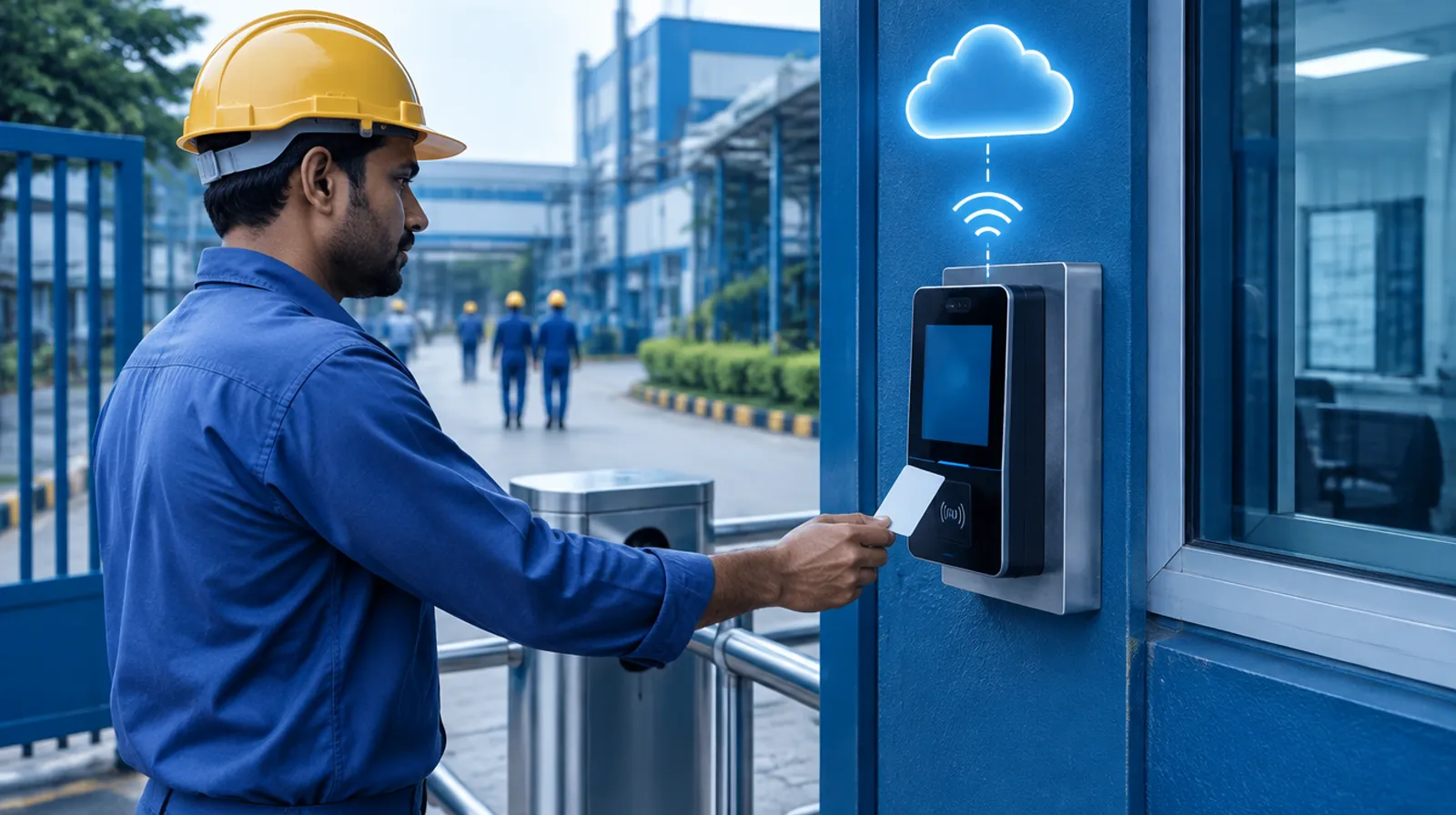
For factories, the safest setup is a biometric machine at each gate plus phone attendance for supervisors. Our manufacturing ERP software page shows how shift attendance flows into payroll across plants.
Best Cloud HRMS Solutions in India
The best cloud HRMS solutions in India for SMEs in 2026 include Mera Udyog, greytHR, Zoho People, Pocket HRMS, sumHR, Keka and Darwinbox. All of them are cloud-based and accessed through a browser and mobile app.
| Cloud HRMS | Best for | Starting price (excl. GST) |
|---|---|---|
| Mera Udyog | Factories and multi-outlet retail chains wanting HR, payroll, CRM, billing and stock in one app | ₹9,999/month for up to 50 users |
| greytHR | Payroll-led HR for growing SMEs | ₹2,495/month for 50 employees |
| Zoho People | Performance and talent features on a budget | ₹48/employee/month (payroll separate) |
| Pocket HRMS | Full HRMS for mid-sized firms | ₹2,995/month for 50 employees, billed annually |
| sumHR | Per-user pricing with payroll included | ₹49/user/month, billed annually |
| Keka | Tech companies and funded startups | Quote only |
| Darwinbox | Large enterprises | Quote only |
Prices checked on vendor and authorised partner pricing pages on October 26, 2026.
Disclosure: Mera Udyog is our product. It runs employees, shifts, attendance, leave, payroll (Maharashtra statutory rules), assets, exits, events and feedback, but not formal performance appraisals or expense claims yet.
For a full review of each tool, read our comparison of the best payroll software in India. Running several stores? See how retail management software puts outlet staff on one screen.
Cloud-Based HRMS Software Modules: Inside Mera Udyog
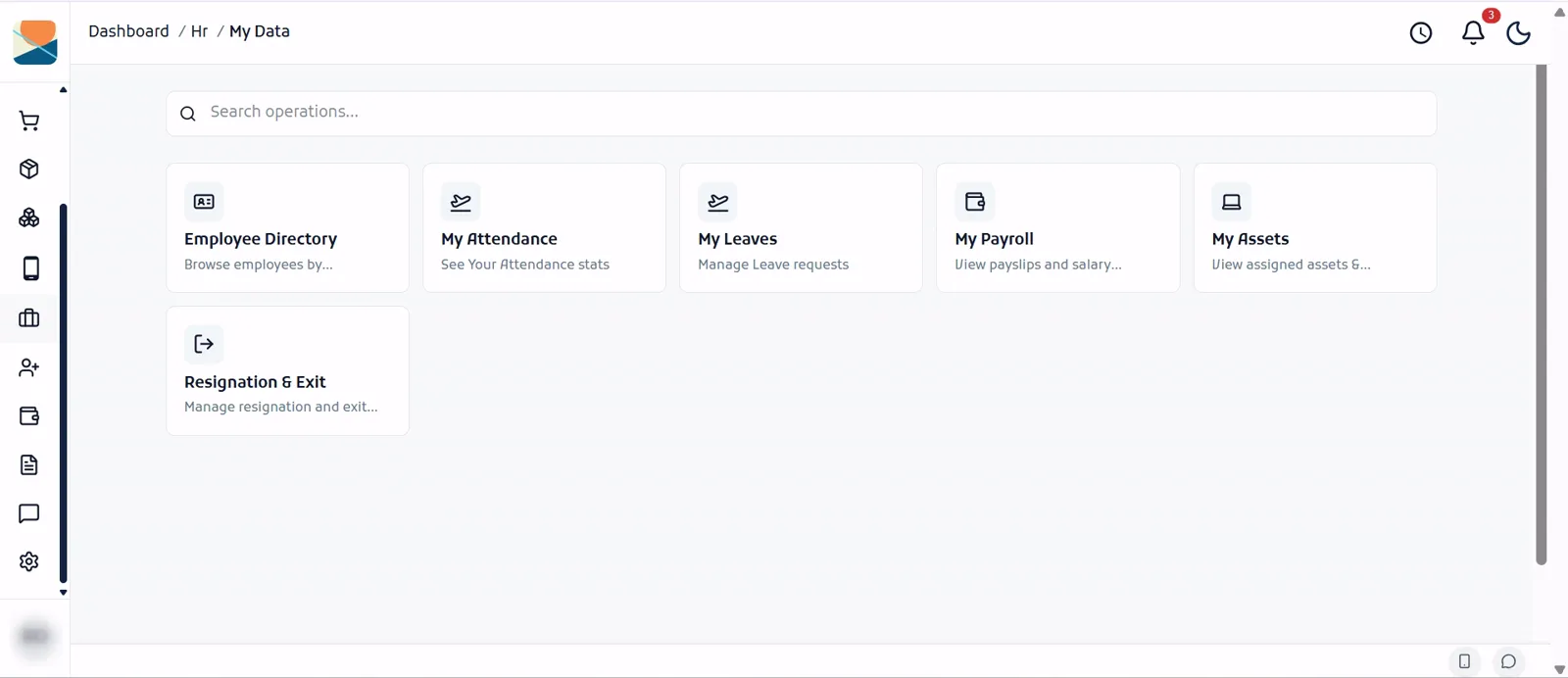
A cloud HRMS usually has two sides: an HR and admin side where the company manages people, and an employee self-service side where each person handles their own requests. Here’s what both sides look like in Mera Udyog, so you know what a complete cloud HRMS should include.
HR and Admin Modules
The HR and admin side of Mera Udyog has nine modules, each managed from one cloud dashboard across every plant, outlet and office:
| Module | What HR and managers do with it |
|---|---|
| Employees | Manage employee profiles and records in one place |
| Shifts | Assign work schedules, including morning, night and weekend shifts per location |
| Attendance | Track employee attendance from biometric machines or the mobile app |
| Leaves | Approve or reject leave requests and track balances |
| Payroll | Manage salaries and monthly pay runs, with PF, ESI, Professional Tax and TDS |
| Asset Management | Track and assign company assets such as phones, laptops, uniforms and tools |
| Exit Process | Manage employee exit requests, from resignation to final settlement |
| Events Management | Plan and announce company events, holidays and celebrations |
| Feedback | Collect and view feedback from employees |
Employee Self-Service Modules
The employee self-service side gives every staff member six modules on their phone or computer, so routine HR requests no longer need a visit to the HR desk:
| Module | What employees do with it |
|---|---|
| Employee Directory | Browse colleagues by team, department or location |
| My Attendance | See their own attendance stats, late marks and overtime |
| My Leaves | Apply for leave and track approvals and balances |
| My Payroll | View payslips and salary details |
| My Assets | See the company assets assigned to them |
| Resignation & Exit | Submit a resignation and follow the exit process |
Here’s why the two-sided setup matters: every request an employee raises on the self-service side lands directly in the matching HR module. A leave request in My Leaves goes to Leaves, a resignation in Resignation & Exit starts the Exit Process, and overtime in Attendance flows into Payroll. Nothing is re-typed.
Beyond HR: One Cloud App for the Whole Business
Cloud-based HRMS software does not have to stand alone. Mera Udyog is a complete business management software for ₹9,999 a month (up to 50 users, plus GST), where HR and payroll share one cloud login, data and plan with sales, accounts, inventory and daily tasks. Here are the core features:
| Module | What it does |
|---|---|
| Sales & CRM | Capture enquiries from calls, QR codes and links, record customer KYC, send quotations, route confirmed orders to the right plant, and see combined sales across branches |
| SIM-based call analytics CRM | Calls made from your team’s own phone SIM are logged against each lead, with call logs, per-employee call analytics and call sequences for follow-ups. No separate dialer or cloud telephony needed |
| Attendance & Shifts | Multiple shifts and plants, overtime and leave, with biometric machine integration |
| Payroll | Overtime pay, blue-collar and white-collar staff, and Maharashtra statutory rules |
| Accounts & GST | GST invoices, payments received and pending, and expense tracking |
| Inventory | Stock by warehouse, low-stock alerts and purchase orders |
| Hiring | Job posts, interviews, onboarding, employee records and assets |
| Team & Tasks | Daily tasks, employee complaints, and team chat plus WhatsApp and email |
| Multi-location | Each plant, outlet or branch manager sees their own location, while the owner sees everything |
| AI layer | Connects to ChatGPT, Claude or Gemini so owners can ask questions answered from their own records. A native MCP Builder exposes your data and actions as an MCP server, and AI call summarization covers recorded calls |
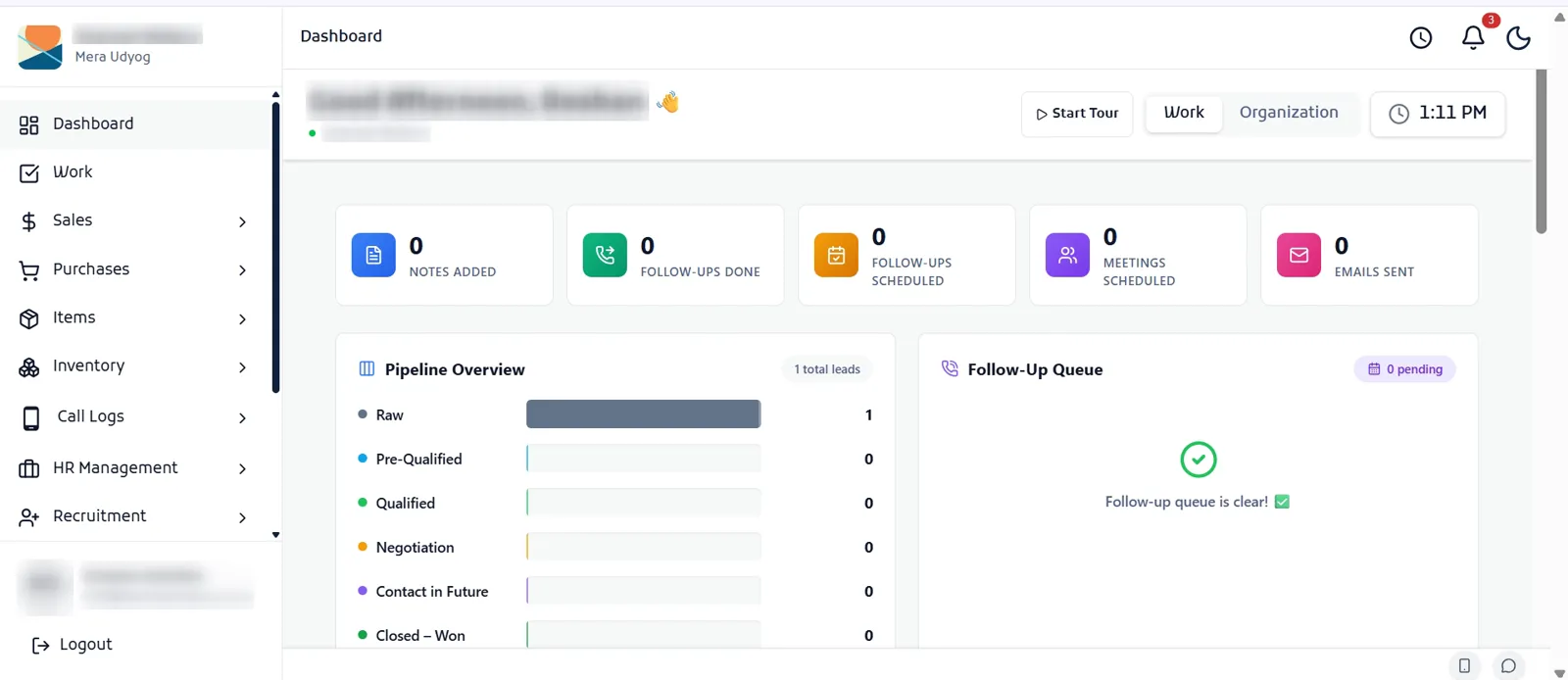
Here’s why this matters for HR: a candidate hired in Recruitment becomes a record in Employees, their shift attendance drives Payroll, and the owner sees staff cost beside sales for each plant or outlet. With separate HR, CRM and billing tools, the same data is typed three times.
Separate Tools vs One App: Monthly Cost
Here’s what a 50-person business pays to cover HR, a calling CRM, billing and inventory with three separate tools, compared with one Mera Udyog plan (prices excluding GST, checked October 26, 2026):
| Need | Separate tool | Monthly cost |
|---|---|---|
| HR, shifts, overtime and payroll (50 employees) | greytHR Growth | ₹4,495 |
| Calling CRM (20 users) | NeoDove NeoPlus, ₹24,999 a year | ₹2,083 |
| GST billing and warehouse inventory (15 users) | Zoho Books Elite, billed annually | ₹4,999 |
| Total for three tools | Three logins, three bills, data typed three times | ₹11,577 |
| Mera Udyog, everything in one app | Up to 50 users, billed annually (₹9,999 billed monthly) | ₹7,499 |
The separate-tools stack costs about ₹1,38,900 a year against ₹89,990 for Mera Udyog, and it still has no shared database between HR, sales and stock.
Every module is included in one plan, ₹9,999 a month for up to 50 users plus GST. Learn more about the GST billing software, inventory management software and AI features.
How to Move to Cloud HRMS in 30 Days
Moving to cloud HRMS takes about 30 days if you prepare employee data first and run one parallel payroll. Here’s the plan:
- Week 1: Collect data. Employee codes, joining dates, salary structures, bank details, UAN and ESIC numbers, leave balances.
- Week 1: Pick the vendor. Use the Security Checklist and the 3-Year Cost Worksheet on your shortlist.
- Week 2: Set up rules. Shifts, overtime, leave policy, locations and state Professional Tax.
- Week 2: Connect attendance. Link biometric machines and give supervisors the mobile app.
- Weeks 3 and 4: Run a parallel month. Process payroll in both the old method and the cloud HRMS, then match every employee’s net pay.
- Day 30: Go live. Release payslips from the cloud HRMS and train staff on self-service.
Keep your last Excel salary sheet for comparison, and use our free salary slip format to check the new payslips line by line.
Want help mapping your shifts and locations? Book a free demo and we’ll set it up with your real data.
Your Next Step
Cloud based HRMS software gives Indian businesses one employee record across every location, automatic compliance updates and mobile self-service, without servers or IT staff. The two things to get right are the true 3-year cost and the vendor’s security under India’s DPDP Rules.
Fill in the 3-Year HRMS Cost Worksheet, ask the 10 security questions, and run one parallel month before you switch.
Ready to see cloud HR, attendance and payroll working on your own shifts? Explore payroll software for India from Mera Udyog and start a 7-day free trial.
Which of the 10 security questions would your current HR setup fail?
Frequently asked questions
What is cloud based HRMS software?
Cloud based HRMS software is an HR system hosted on the vendor’s servers and used through a browser or mobile app for a subscription. It manages employee records, attendance, leave, payroll and self-service without any servers or installation at your office.
What is the difference between cloud HRMS and on-premise HRMS?
Cloud HRMS runs on the vendor’s servers for a monthly or yearly subscription, while on-premise HRMS is installed on your own servers after a one-time licence purchase. Cloud costs less upfront and updates automatically; on-premise gives in-house data control but needs hardware and IT staff.
How much does cloud HRMS software cost in India?
Cloud HRMS software in India costs about ₹2,500 to ₹10,000 a month for 50 employees, before 18% GST, based on vendor pricing pages checked on October 26, 2026. Per-employee plans start at ₹48 to ₹49 a month.
Is cloud HRMS software secure?
Cloud HRMS software is secure when the vendor encrypts data, controls access by role, keeps backups and follows India’s DPDP Rules, 2025 and the CERT-In Directions, 2022. Ask vendors for written answers on hosting location, encryption, backups and breach notification before you sign.
Does cloud HRMS work without internet?
Cloud HRMS needs internet to sync, but many setups keep working offline: biometric machines store punches and mobile apps can queue attendance, both syncing when the connection returns. Ask your vendor to show offline sync during the demo.